Skip to the main content.

Customer Portal for Acumatica

Get Back the Hours You Spend Answering “Has My Order Shipped Yet?”

The Customer Portal is an add-on to your own website that works with your Acumatica data. Your customers log in there to look up order status, shipment tracking and invoice copies themselves, 24/7.

Book Your Free Demo

Free for 30 days. No credit card.

What happens next: a short demo call with our team.

Or see it first: Guided Tour » Try It Yourself »

Acumatica

Works with your Acumatica ERP

Danielle Walker of Viking Power Technologies

Customer story

“We're saving at least 8 hours per week, maybe even more.”

Danielle Walker, Technology Manager, Viking Power Technologies

Every week, Viking emailed each customer an update on their open orders. Now customers look it up themselves.

Viking Power Technologies makes power sections for drilling motors.

8+
hours a week back

That's a full day back every week, from just one of the five apps.

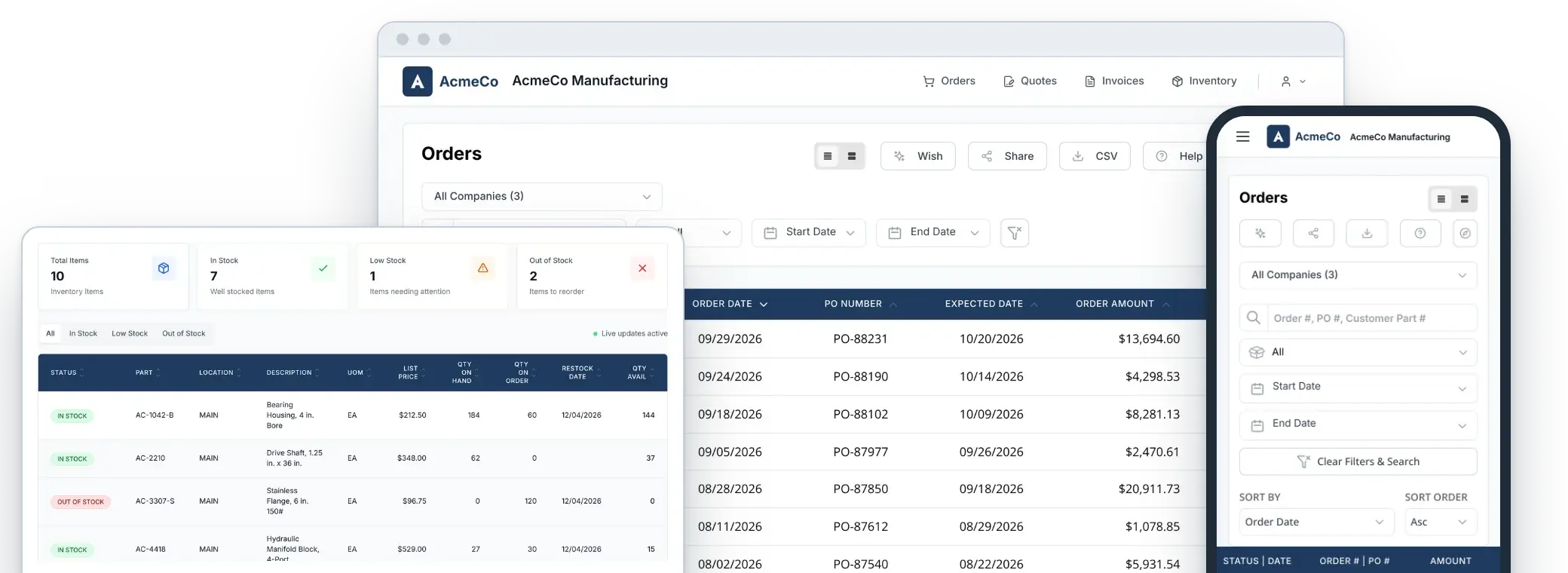
Customer Portal screens: Sales Orders on a desktop and a phone, with an Inventory panel

What it takes

Easy to Start. We Do the Setup.

Live in about 10 minutes

The portal connects directly to your Acumatica ERP. No custom development.

No web developer needed

We set it up with your Acumatica admin.

On your domain, with your logo

Your portal carries your logo, colors and company name.

Syncs every 15 minutes

Orders, invoices, quotes and inventory stay current with your ERP.

Only your contacts can log in

Each user sees only the data tied to their own account.

Customer Portal features

See What Each App Does

Free for 30 days. No credit card.

Not sure if it's right for you? Contact our team. We're happy to answer any questions you may have.

Sales Orders

Continuous Order Tracking

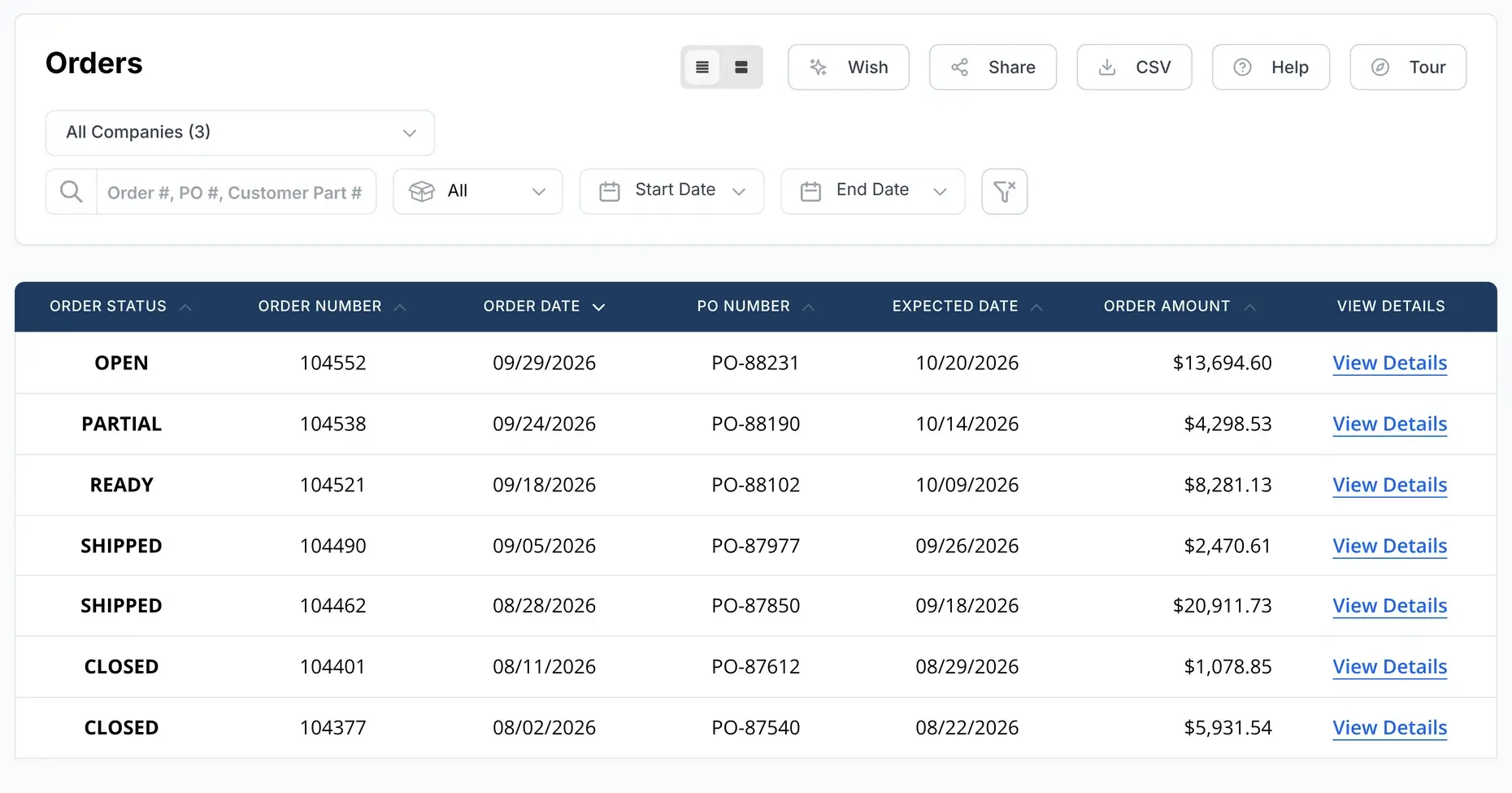
Provide your customers with instant access to their order status, reducing the need for manual follow-ups and enhancing their overall satisfaction.

  • Self-service updates on order status
  • Shipment tracking links, so customers can follow each delivery
  • Order views are customizable—show status, ship dates, quantity and more
  • Reduced customer inquiries
Sales Orders screen: a list of orders with status, dates and PO numbers

Invoices app + Payments app

Simplify Online Payments

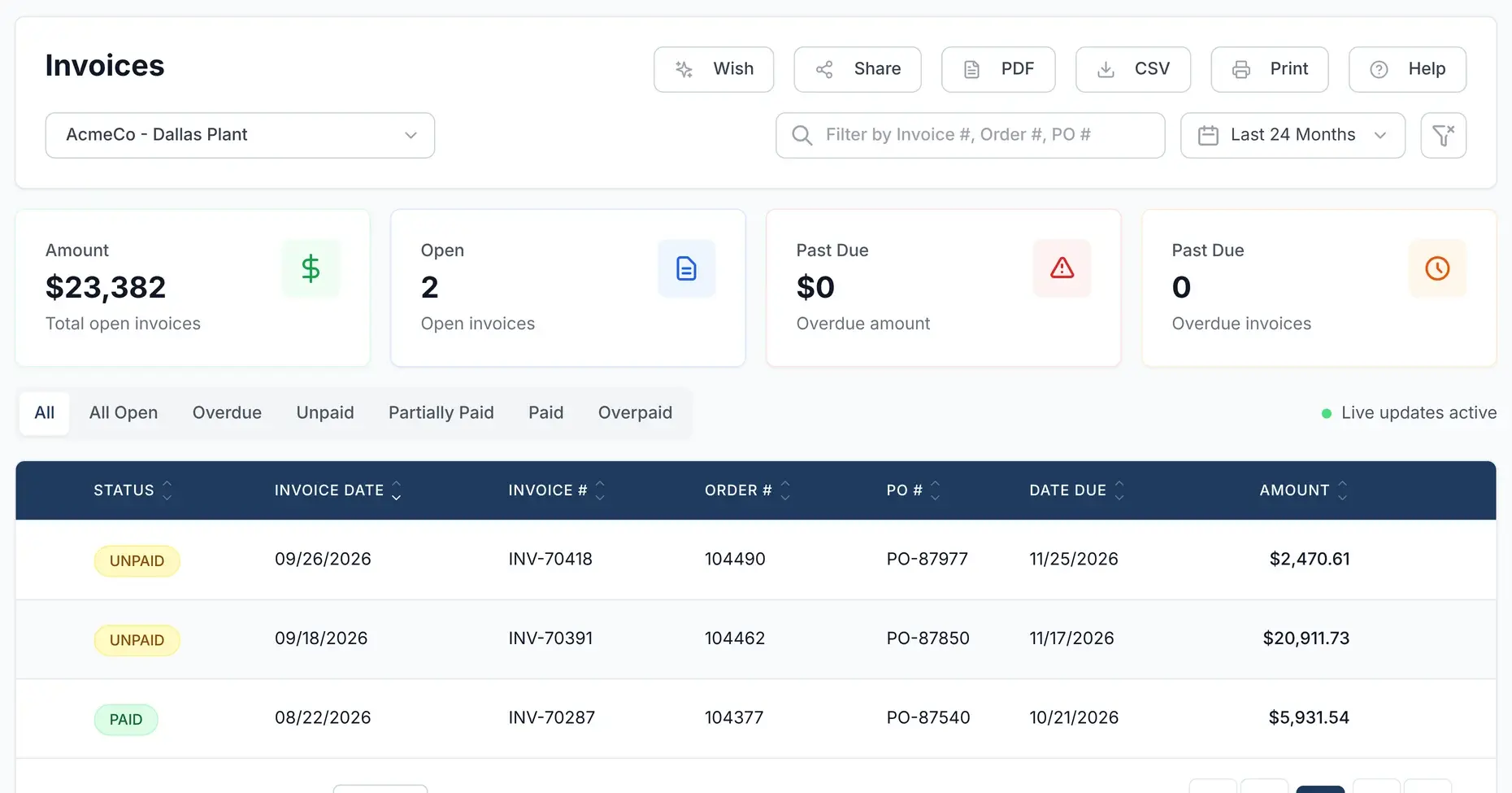
Customers can securely pay open invoices online at their convenience, reducing payment delays and inquiries.

  • Log in anytime to view open invoices and pay instantly
  • Reduced customer payment inquiries
  • Keep your customers happy with a seamless, self-serve payment experience that meets modern expectations
Invoices screen: open and past due totals above a list of invoices

Quotes

Access Quotes Instantly

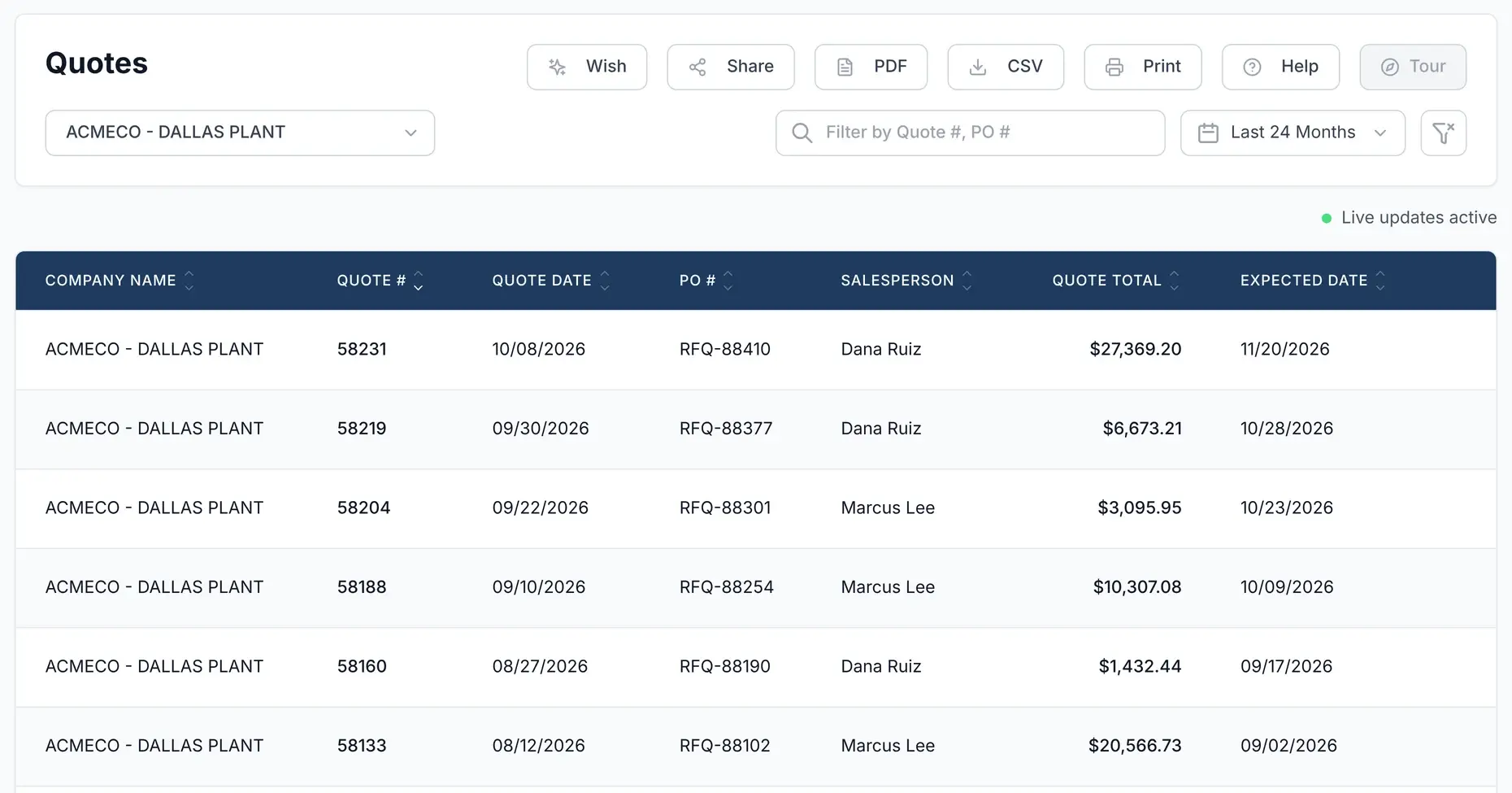
Allow customers to view and act on open quotes anytime, streamlining the decision-making process.

  • Tailor quote views to include quantity, pricing, line items and more
  • Quote approvals send instant email alerts to your team—so you can act fast
  • Customers can request revisions or ask questions on quotes with pre-filled forms for quick, easy follow-up
Quotes screen: a list of open quotes with totals and expected dates

Inventory

Real-Time Inventory Access

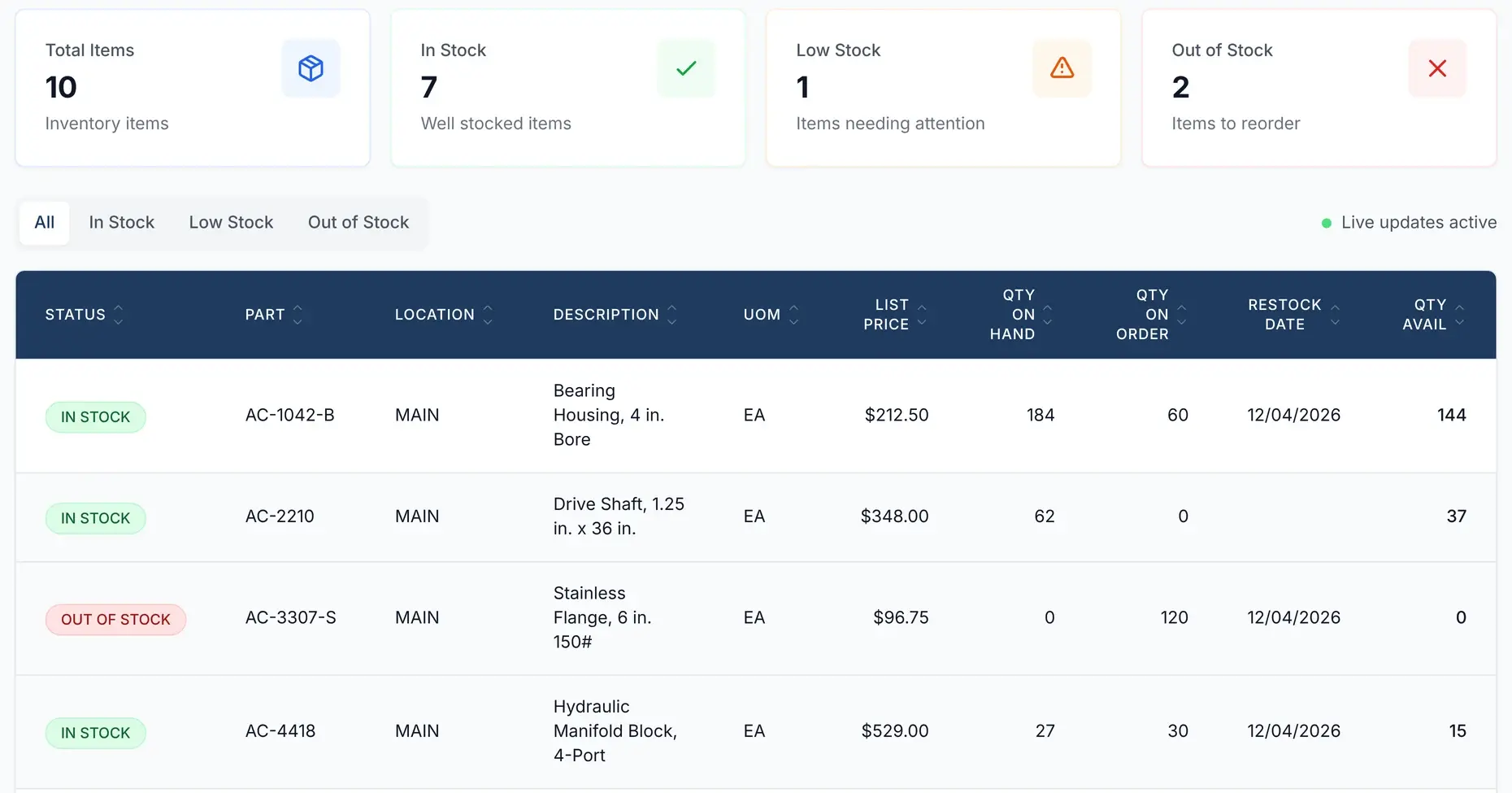
Let customers check stock with full visibility into part availability and more—anytime they need it.

  • Customize inventory views to display pricing, part numbers, SKUs and more
  • Customer part number cross-referencing for instant product identification
  • Customers can see inventory by location with exact quantities
Inventory screen: stock totals above a list of parts with location, price and quantities

Frequently asked questions

What Manufacturers Ask Us Most

From syncing with your Acumatica ERP to customer access and security—here’s what you need to know.

Does the portal sync automatically with my Acumatica ERP?

Yes. Inventory, sales orders, open quotes, and invoices sync every 15 minutes. This near-real-time update ensures your team and customers are always working from the latest data.

Can customers really help themselves without calling or emailing?

Yes. Customers can check order status, download quotes and invoices, and track shipments—24/7—without needing to contact your team.

Can my customers track their own shipments?

Yes. The portal automatically pulls live tracking links from your connected shipping carriers, so your customers can click to see real-time shipment status.

Will the portal look like part of my existing website?

Yes. Your portal lives on your domain and is fully branded with your logo, colors, and company name—so it feels like a natural extension of your business.

Is the portal secure and access-controlled?

Yes. Only users in your Acumatica CRM can log in. The portal is password-protected and limits data access to what’s associated with each user’s account—so privacy and security are protected.

Can customers filter and export their data?

Yes. They can filter by date, PO, status, or part number—and export or email data right from the portal for their records.

Can I really try it free?

Yes. You can install and use the portal free for 30 days, with no credit card and no obligation.

Can I get set up quickly?

Yes. Most users are up and running in under 10 minutes. The portal connects directly to your Acumatica ERP—no custom dev work needed.

Can I launch the portal without a web developer?

Yes. We set it up with your Acumatica admin. You don’t need a web developer.

Can I cancel anytime?

Yes. It is month-to-month. Cancel with 30 days’ notice before your renewal date.

Start For Free With a 30 Day Test Drive

Install it. Brand it. Use it.

Try the Customer Portal free for 30 days, fully branded and working with your Acumatica data. No credit card.

Book Your Free Demo

Still have questions? Let’s talk.

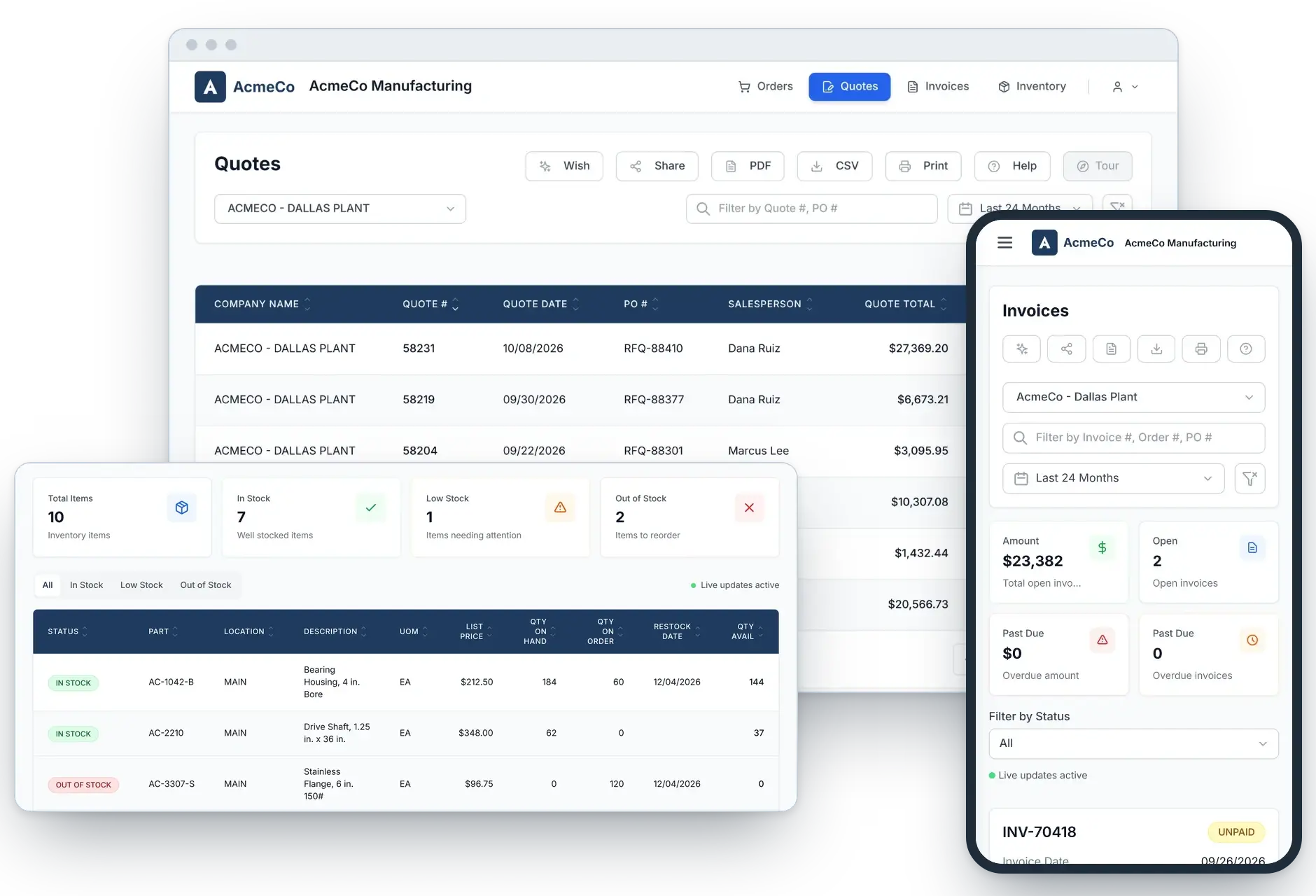
Customer Portal on a desktop and a phone: Quotes, Inventory and Invoices